Add HexaHQ to Claude.
HexaHQ works through the AI you already use, so the first thing to do is add its connector. On a Pro or Max plan you add it yourself, in your own settings, and this page is those steps. On a Team or Enterprise plan the screens are different and an Owner adds it for everyone: those steps are here.
What Claude needs.
The address is https://mcp.hexahq.ai/mcp, and connecting uses OAuth, so you approve access in
the browser rather than pasting any secret into Claude.
Steps.
-
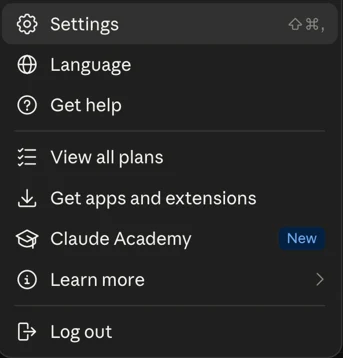
Open your account menu at the bottom of the sidebar, then Settings.
-
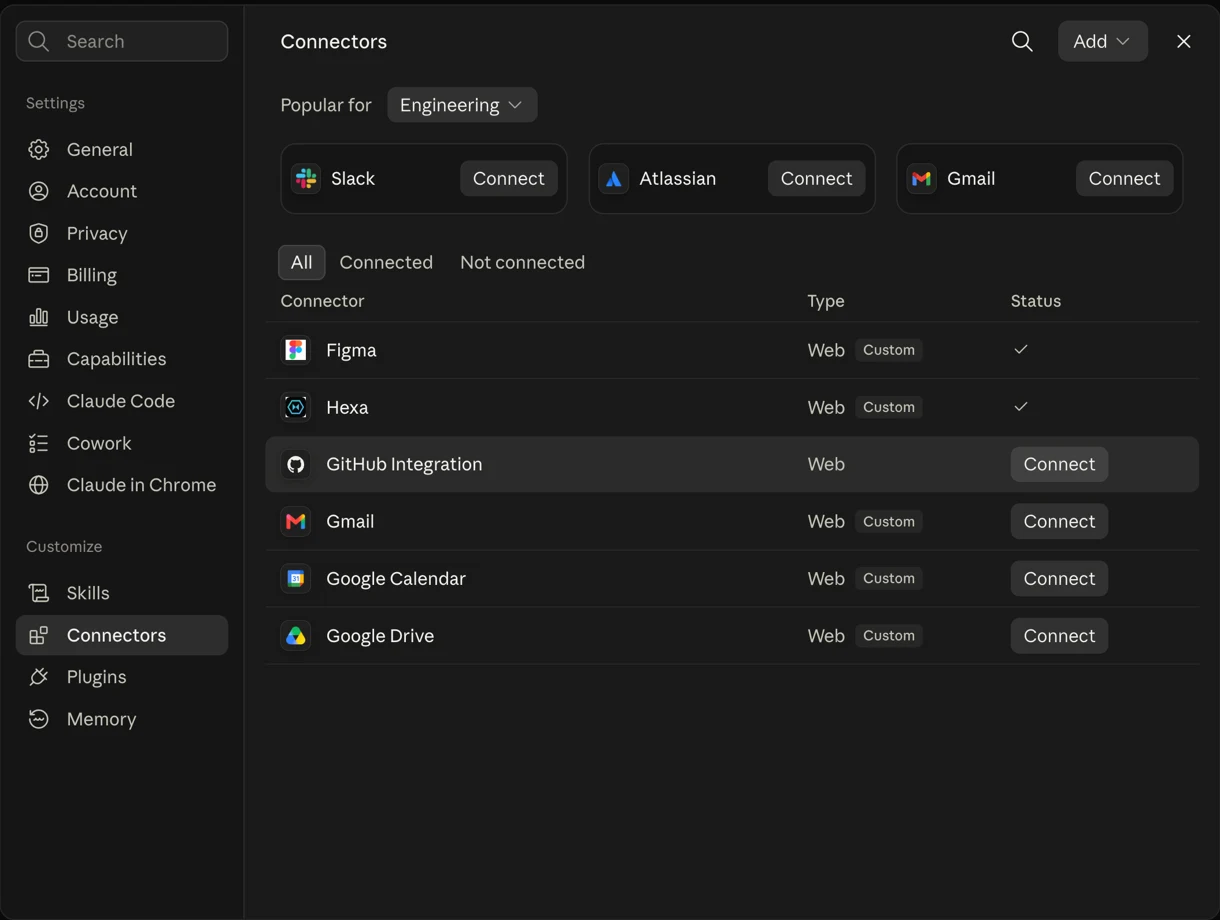
Under Customize, choose Connectors.
-
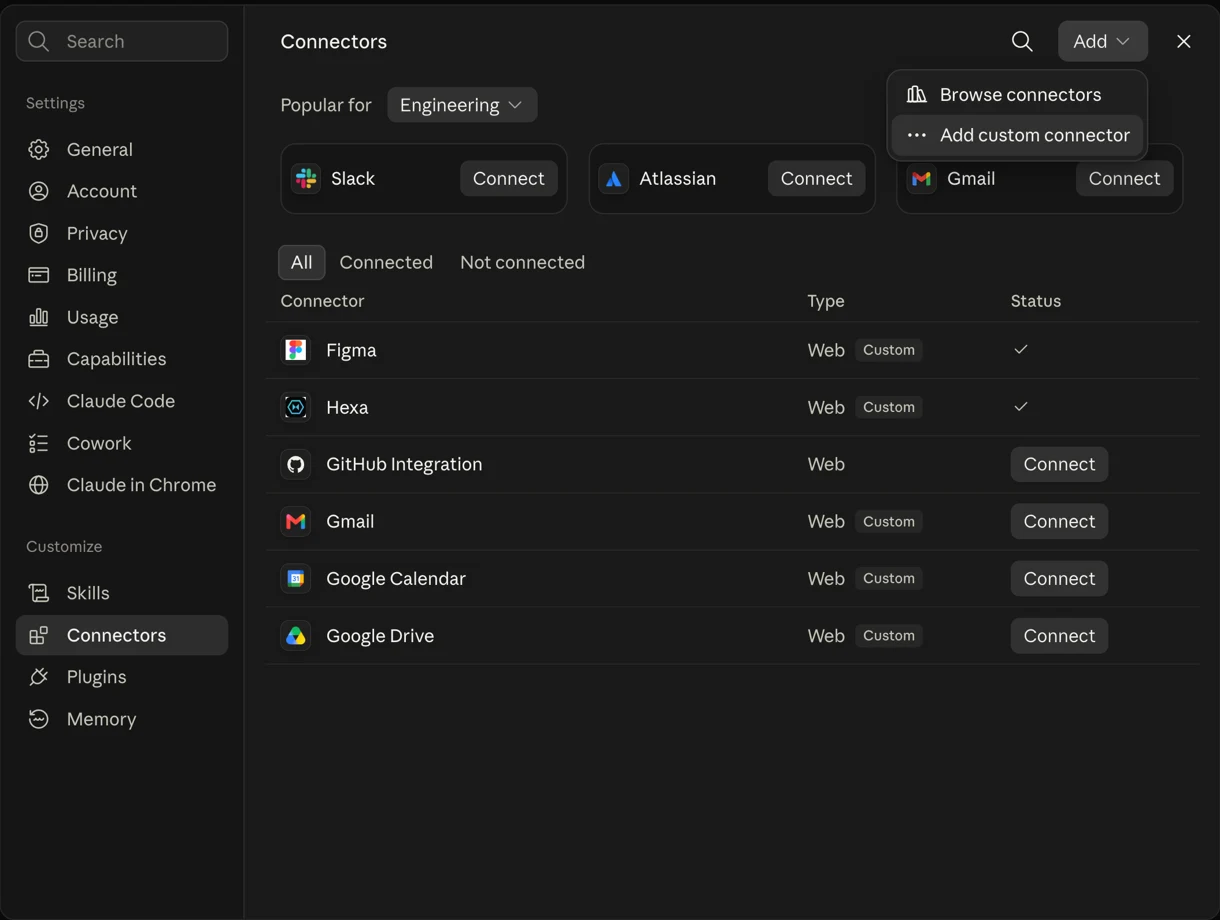
Click Add, then Add custom connector.
-
Give it a name, paste
https://mcp.hexahq.ai/mcp, and click Add. The name is only the label you will see in your own connector list, so call it whatever you like. Leave the OAuth client fields under Advanced settings empty. Claude then asks you to sign in to HexaHQ, and that is where the connection is authorized.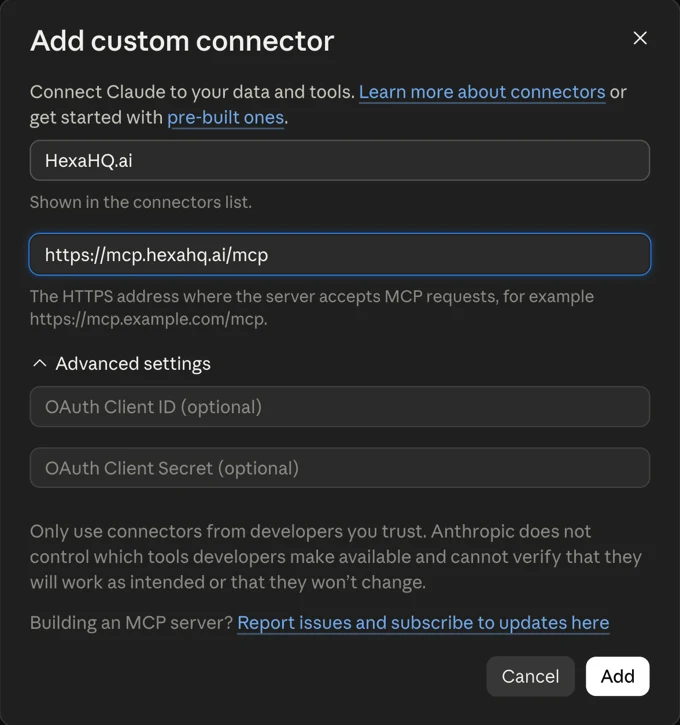
Claude will warn you that it cannot vouch for a custom connector. The dialog says to only use connectors from developers you trust, because Anthropic does not review what a custom connector does. That notice appears for every custom connector, not for HexaHQ in particular, and it is there until HexaHQ is listed in Claude's own directory. What HexaHQ does with the access is on the security page, and every action it takes is recorded in the run history for you to inspect.
On a Team or Enterprise plan none of the above is the path. Adding a custom connector there belongs to Owners, it happens in Organization settings, and each member connects separately afterwards: adding HexaHQ to Claude Team or Enterprise.
NextOnce it is connected.
Ask Claude for something that touches your tools and it will reach for HexaHQ. If your AI later tells you that HexaHQ's tools are out of date, that is a different and much shorter fix: refreshing the connector in Claude. If you use ChatGPT as well, adding HexaHQ there is a different procedure.
For a first thing to try, using Claude with your WordPress site goes from connecting the site to a draft post, and shows the approval Claude asks for before it publishes.